Key Words / Phrases
- Change account information
- Did you receive my new account information
- Premiums are still deducted from an old account
I want to change the account in which you are deducting my premium.
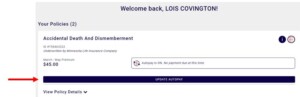
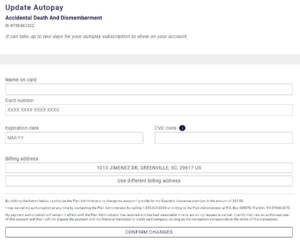
“I can email you a form or you can go to fmservice.com and create a log-in to access your policy information. On fmservice.com, you can change the account in which you are deducting your premium. The new payment information you provide will be updated within 24-hours.”
If sending a form, go to the F13 screen and select the ACCT#CHG form.
REMEMBER: The primary insured is eligible to change the account from which their premium is being deducted. A customer can change the account to another account at same the financial institution or to an account at another financial institution.
Credit Unions – must maintain an account with the credit union in order to remain eligible for coverage
Banks – does not need to maintain an account with the bank in order to remain eligible for coverage
Confirming New Account Information Received
Go to the F15 screen and confirm if the following 5 steps have been completed. Inform the customer of the last 4-digits of the new account information received.
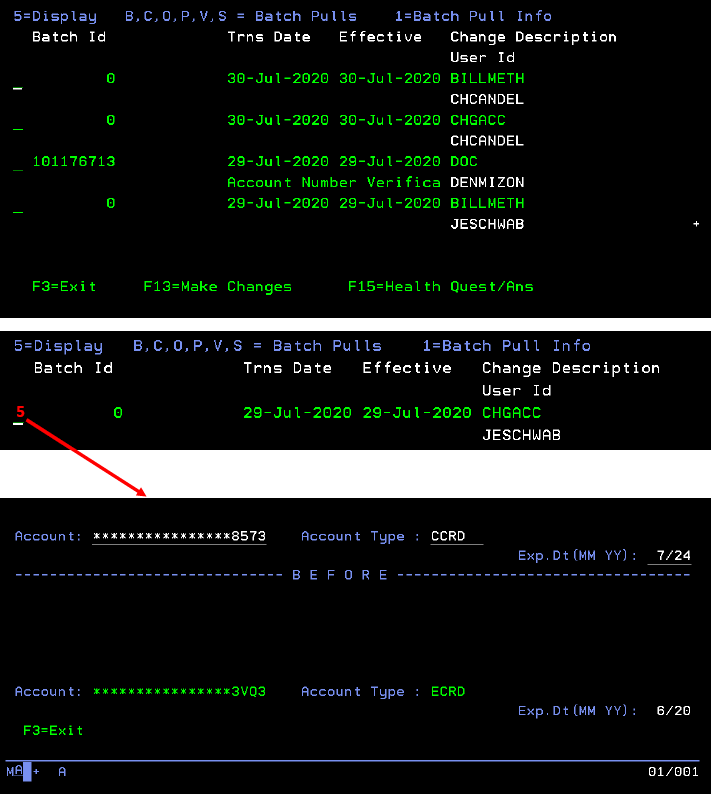
The other four items within the series of five are behind-the-scenes operations:
#2 BILLMETH is the billing method update – not for you to be concerned with
#3 DOC is the actual scanning of the paper form the member submitted and signed
#4 2nd CHGACC – the encryption processing of the live account number
#5 2nd BILLMETH – the encryption processing of the bill method
fmservice.com
Customers can update their payment method on fmservice.com. Account changes will take 24-hours to show up in Artemis.