Information from a Frontline Agent BEFORE You Speak to a Customer
- Coverage ID
- Customer’s name
- Whether or not verification was completed
- Whether or not customer policy summary was read to the customer
- Reason customer is being transferred so the customer does not have to repeat themselves
Suggested scripting when customer is transferred to you:
“Hi (customer’s name), this is (agent name), a (supervisor / manager) and I’m here to help you. I understand you are calling about (reason). Let’s take care of this for you.”
Delete a Letter Requested by an Agent
As a Tier II agent, you can delete a letter which was inadvertently requested.
A letter can ONLY be deleted the SAME DAY it was requested.
Steps
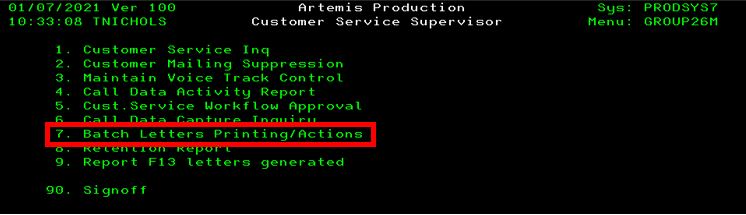
- Select Batch Letters Printing / Actions from the main menu
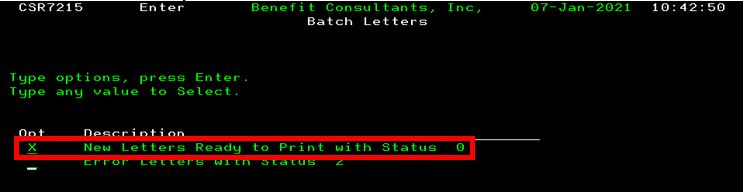
- Select New Letters Ready for Print with Status
- Select the letter type which needs to be deleted
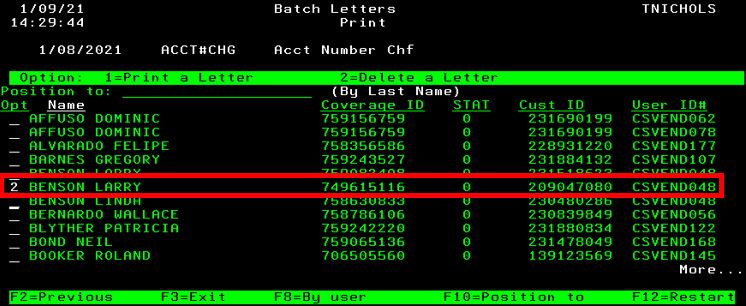
- Enter 2 next to the coverage ID in which the letter needs to be deleted
- Press enter to confirm
It will be noted in the comment screen that the letter was deleted.
Steps to Delete a Letter Requested by an Agent
Select “Batch Letters Printing / Actions” from the main menu
Select “New Letters Ready for Print with Status”
Select the letter type which needs to be deleted
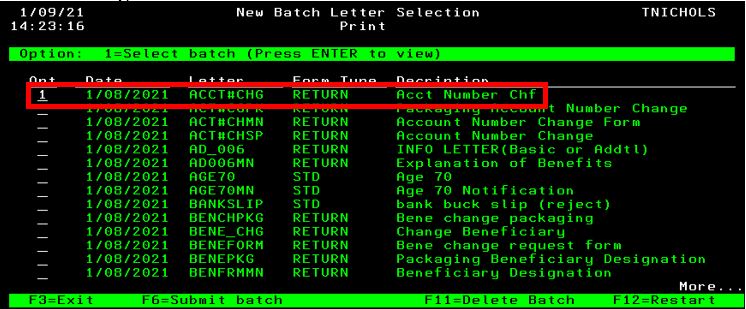
Enter 2 next to the coverage ID in which the letter needs to be deleted then press enter to confirm
Assist with Locating a Customer in Artemis
Tips
- Partial name search
- Previous address
- Narrow a search by entering:
- House number
- State
- Financial institution
- Ask caller to look at billing statement descriptor – Did he / she call the phone number on the billing descriptor?
- If the caller cannot be located in Artemis, please escalate to the Executive Response Team
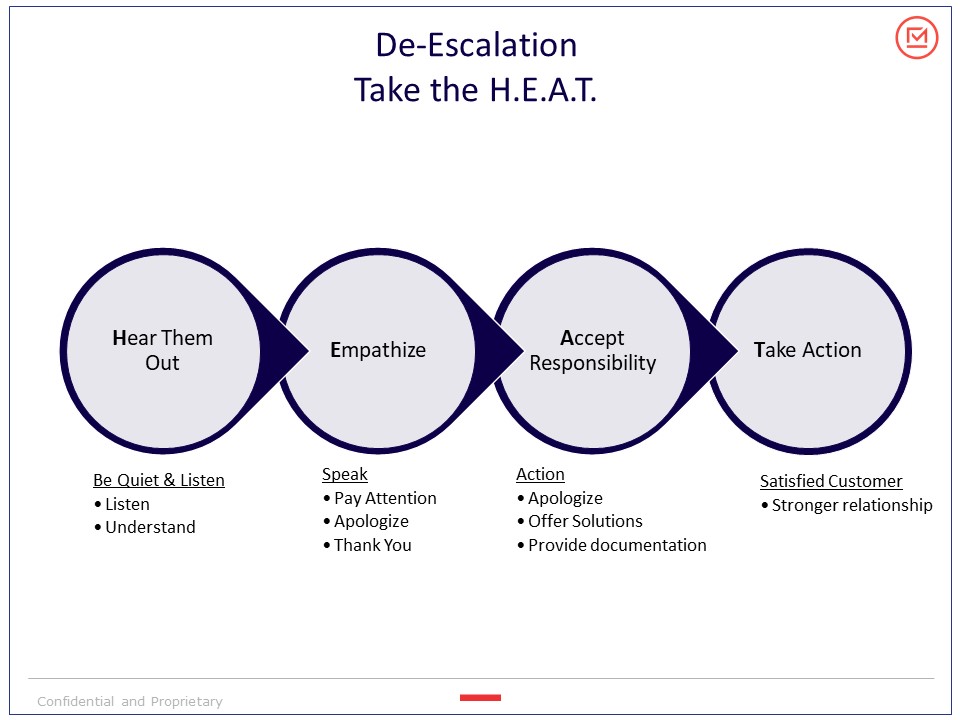
De-Escalation Technique – Taking the H.E.A.T.