FMService.com is supported on all platforms, including Android and iPhone.
We continuously update our servicing site, fmservice.com, so our customers have the best possible experience. Please check back here often for updates.
| CAN Do On FMSERVICE |
CANNOT Do On FMSERVICE |
- View policy information, including:
- Type of coverage
- Coverage ID
- Carrier
- Next payment due date
- Amount of premium
- Billing frequency
- Effective date
- Coverage amounts
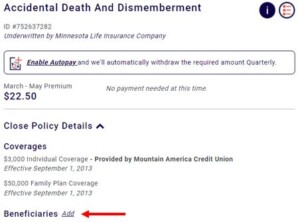
- Beneficiaries
- Make a payment with a debit or credit card (registered or as a guest on the home page)
- View payment history
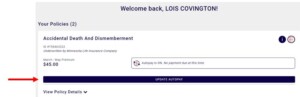
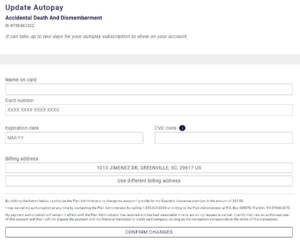
- Enroll in or change autopay
- View cancelled policies & cancelled date
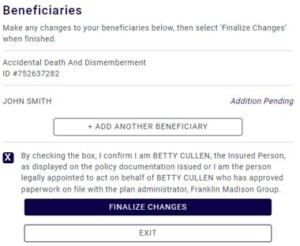
- Add, edit, or remove/delete beneficiaries
- Request claim forms via email or mail (logged in only)
- Request a call from a claims agent (as a guest on the home page only)
- Request proof of enrollment
- View, download, & request copy of certificate of insurance
- Request to restart a cancelled coverage
- Update cell phone number, username, & password (not at the coverage level)
- If eligible, AD&D customers may receive an offer to increase their coverage
|
- Cancel coverage (complimentary & supplemental)
- Change coverage type (i.e. family to individual)
- Change coverage amount
- Upload claim documents
- Submit / attach documents
- Request a letter or form
- Submit a power of attorney
- Request a refund
- Update mailing address
- Enroll in coverage (enrollment is available via client enrollment sites)
- Pay ahead or for lapsed periods
|
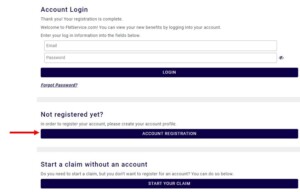
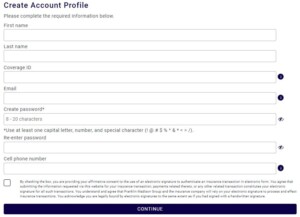
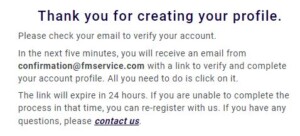
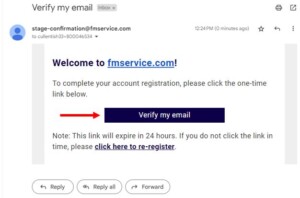
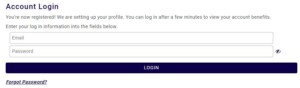
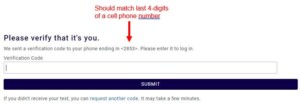
Registration
Beneficiaries – Add, Edit, Delete
Certificate of Insurance
Start Claim Logged In
Start Claim Without Logging In / As a Guest
Paid, Update Autopay
Unpaid, Hard Decline
Unpaid, Direct Bill